Test Case 7: Verify Duplicate Transactions
Objective: Check whether the system prevents duplicate processing of the same transfer request.
- Test Case 7: Verify Duplicate Transactions
- Test Case 8: Verify Account Status
- Test Case 9: Verify Deposit Transactions
- Test Case 10: Verify Withdrawal Transactions
- Test Case 11: Verify Transaction Amount
- Test Case 12: Verify Data Consistency
- Additional Negative SQL Test Scenarios
- Best Practices for SQL Testing in Banking Applications
- Common SQL Queries Every Banking QA Tester Should Know
- Frequently Asked Questions (FAQs)
- Other Internal Links:
SQL query:
SELECT from_account, to_account, amount, COUNT(*) AS total
FROM Transactions
GROUP BY from_account, to_account, amount
HAVING COUNT(*) > 1;
Expected result:
This query identifies repeated combinations of sender, receiver, and amount.
However, two legitimate transfers can have the same details. Therefore, the tester should verify duplicate processing using the transaction reference number or idempotency key, where available, rather than treating every repeated combination as a defect.
Test Case 8: Verify Account Status
Objective: Verify that inactive accounts cannot perform transactions when the application’s rules prohibit them.
SQL query:
SELECT account_id, customer_id, balance
FROM Accounts
WHERE customer_id = 103;
Expected result:
The tester should confirm that transactions are blocked for accounts that are inactive or otherwise restricted, as required by the business rules.
The account status and transaction permissions should also be verified.
Test Case 9: Verify Deposit Transactions
Objective: Check whether the account balance increases correctly after a successful deposit.
Suppose a customer deposits ₹3,000 into an account with an initial balance of ₹10,000.
SQL query:
SELECT balance
FROM Accounts
WHERE account_id = 1001;
Expected result:
The balance should become ₹13,000 after the successful deposit, assuming no other transactions or fees affect the account.
The tester should also verify the deposit record and its transaction status.
Test Case 10: Verify Withdrawal Transactions
Objective: Ensure that the account balance decreases correctly after a successful withdrawal.
Suppose the account balance is ₹10,000 and the customer withdraws ₹2,500.
SQL query:
SELECT balance
FROM Accounts
WHERE account_id = 1001;
Expected result:
The balance should become ₹7,500, assuming there are no applicable fees or other transactions.
The tester should verify that the withdrawal amount and transaction status are correct.
Test Case 11: Verify Transaction Amount
Objective: Ensure that the transaction amount stored in the database matches the amount entered by the customer.
SQL query:
SELECT transaction_id, amount, status
FROM Transactions
WHERE transaction_id = 501;
Expected result:
The transaction amount should be ₹2,000, and the transaction status should match the application’s displayed result.
The tester should also validate permitted amount limits and decimal precision according to the banking requirements.
Test Case 12: Verify Data Consistency
Objective: Check whether account balances and transaction records remain consistent after a transfer.
For a transfer of ₹2,000 from one account to another, the sender’s balance should decrease by ₹2,000 and the receiver’s balance should increase by ₹2,000.
What should a tester check?
- Both account balances are updated correctly.
- The transfer is recorded only once.
- The transaction status is accurate.
- A failed or interrupted transfer does not leave the accounts in an inconsistent state.
For reliable verification, compare the before-and-after balances and transaction records using the same controlled test scenario.
SQL test cases for banking application should cover both successful and failed transactions. Testers must verify that account balances and transaction records remain accurate in every scenario.
Additional Negative SQL Test Scenarios
Apart from the test cases above, QA testers should also consider these scenarios.
| Test scenario | Expected result |
|---|---|
| Search using an invalid account ID | No unrelated account should be returned |
| Transfer an amount of zero | Request should be rejected if zero transfers are not allowed |
| Transfer a negative amount | Request should be rejected |
| Access a restricted account | Access should be denied according to permissions |
| Submit the same transfer request twice | Duplicate processing should be prevented |
| Interrupt a transfer during processing | The system should preserve transaction consistency |
| Enter an amount exceeding the permitted limit | Request should be rejected |
| Check transaction records for another customer | Only authorized data should be accessible |
These scenarios help identify defects that may not appear during normal positive testing.
Best Practices for SQL Testing in Banking Applications
Follow these practices when performing database testing:
- Use a test environment: Avoid running experimental queries against production banking data.
- Validate before and after states: Record account balances before a transaction and compare them with the results afterward.
- Use meaningful test data: Cover active accounts, inactive accounts, valid balances, insufficient balances, and different transaction statuses.
- Verify both positive and negative scenarios: Test successful transfers as well as rejected and interrupted transactions.
- Check transaction consistency: Ensure that related database updates succeed or fail together where required.
- Validate access permissions: Confirm that users can access only the records they are authorized to view.
- Avoid destructive queries: Do not run
DELETE,UPDATE, or other data-changing statements without proper authorization and a controlled test setup. - Maintain evidence: Save the SQL query, actual result, expected result, and defect details when a mismatch is found.
Common SQL Queries Every Banking QA Tester Should Know
Here are some basic SQL commands useful for banking database testing.
| SQL command | Purpose |
|---|---|
SELECT | Retrieve customer, account, or transaction data |
WHERE | Filter records using a condition |
ORDER BY | Sort transaction records |
GROUP BY | Group records for analysis |
COUNT() | Count matching records |
SUM() | Calculate totals |
JOIN | Retrieve related data from multiple tables |
HAVING | Filter grouped results |
Learning these commands can help manual testers validate database records more confidently.
For more information about SQL syntax and database operations, refer to the official MySQL documentation.
Frequently Asked Questions (FAQs)
1. Why is SQL testing important for banking applications?
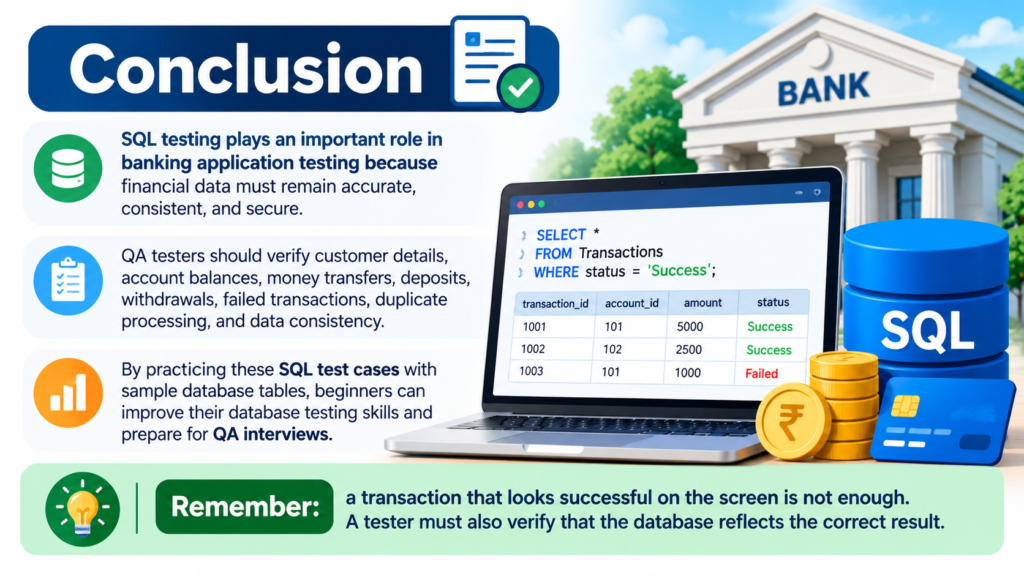
SQL testing helps verify that account balances, customer details, and transaction records are stored and updated correctly.
2. Do manual testers need SQL for banking projects?
Yes. Basic SQL knowledge helps manual testers validate database records, investigate defects, and verify business rules.
3. Which SQL commands are commonly used in banking testing?
SELECT, WHERE, JOIN, GROUP BY, COUNT(), and SUM() are useful for common database validation tasks.
4. Can SQL testing detect money transfer defects?
SQL testing can help identify incorrect balances, missing transaction records, duplicate processing, and inconsistent data when combined with appropriate test scenarios.
5. How can beginners practice SQL testing?
Beginners can create sample Customers, Accounts, and Transactions tables, insert fictional records, execute SQL queries, and compare the results with expected outcomes.
Keep Learning!
Practice these SQL test cases regularly to strengthen your database testing knowledge.
Follow QA With Mrunal for more practical tutorials on SQL, manual testing, API testing, and Playwright.